
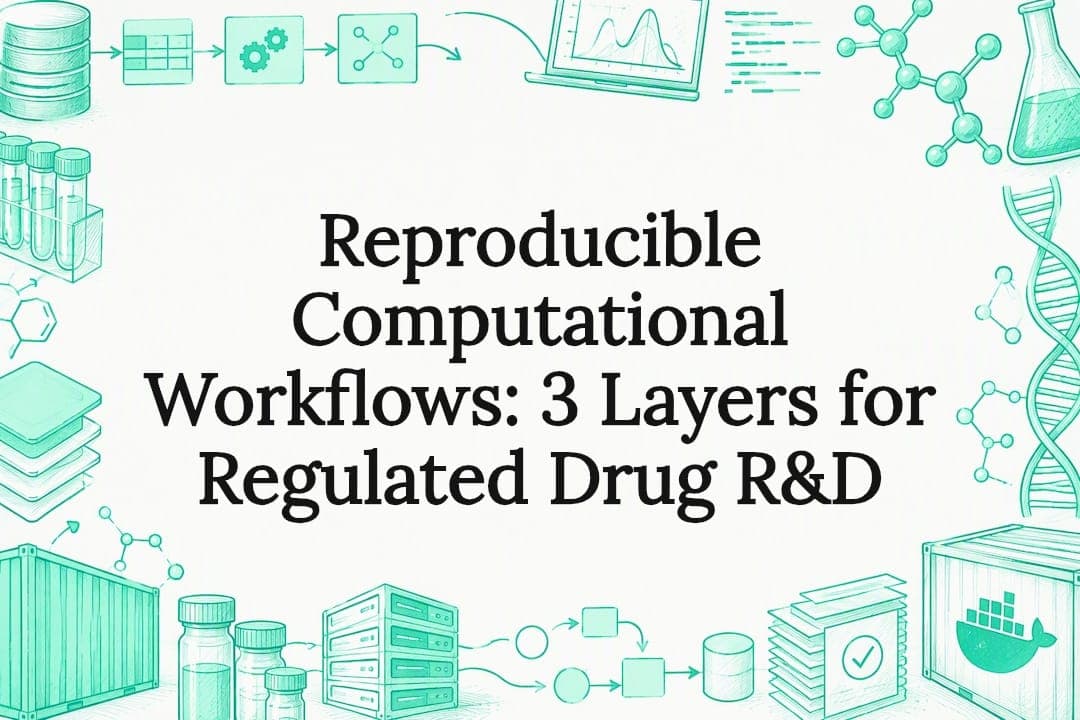
A reproducible computational workflow combines three things: an explicit, machine-readable workflow definition, a pinned execution environment, and a durable, archived code identity. Do all three and anyone, including you in six months, can rerun the analysis and get the same result. The highest-leverage habit is pinning your environment by digest and recording the exact commit hash used for every run.
TL;DR:
- A script or Makefile suits an analysis on one machine; adopt Snakemake or Nextflow beyond about five dependent steps or when cluster execution is needed.
- Container tags can be overwritten, so pin images by immutable digest and pair them with a package lockfile to freeze both system and language dependencies.
- Write a manifest beside each result with input and output paths, parameters, commit hash, environment digest, timestamp, and a brief log excerpt.
- Archive each release at submission and link its DOI or SWHID to the run manifest, letting reviewers trace the exact code and results.
Table of Contents
- Mapping Your Project to the Stages of a Workflow
- Choosing Between Scripts and a Dedicated Workflow Manager
- Pinning Environments With Containers and Lockfiles
- Repository Layout and Archiving a Citable Release
- Configuration Patterns That Make a Workflow Reusable
- Recording Provenance: What a Run Manifest Should Capture
- Where to Publish: Registries, Archives, and What Each One Stores
- A Minimal Runnable Recipe That Ties the Layers Together
- Visual Documentation That Reduces Friction for Reviewers
- When You Don't Need a Workflow Manager
- A Practitioner's Checklist for Regulated Drug-Discovery Workflows
- Realistic Goals for Reproducibility
- How We Help Teams Deliver Reproducible Pipelines
- FAQ
- Sources
Mapping Your Project to the Stages of a Workflow
Every computational analysis, no matter the field, moves through the same rough stages: raw data, preprocessing, core analysis, aggregation, visualization, and a final report. Naming these stages explicitly, even in a project that currently lives in a single messy notebook, is the first step toward reproducibility because it tells you where to draw the lines between steps.
These stages form a directed acyclic graph, or DAG: each step depends on specific outputs from an earlier step, and no step depends on its own output. That structure matters for two practical reasons. First, a workflow manager can parallelize independent branches automatically once it understands the dependency graph. Second, idempotence, meaning a step produces the same output every time it runs on the same input, lets you rerun just the failed or changed parts of a pipeline instead of starting from scratch. Idempotent steps also make debugging tractable: if a step is not idempotent, a rerun might paper over a bug rather than reveal it.
For each stage, a short checklist keeps the workflow honest:
- Test data: a small, fast-running input that exercises the step without needing the full dataset.
- Expected outputs: a named file or set of files with a predictable location and format.
- Metrics or checks: a simple assertion (row counts, checksums, a sanity plot) that would catch a silent failure.
- Explicit parameters: nothing that changes behavior should be hardcoded inside the step's code.
In practice, raw data stays read-only and untouched; preprocessing produces cleaned intermediate files you are willing to regenerate; the core analysis step is where most of the scientific logic lives; aggregation merges results across samples, conditions, or replicates; visualization turns aggregated results into figures; and the report stitches figures and summary statistics into something a collaborator can read without opening code. Treat the boundary between stages as a contract: if preprocessing changes its output format, the analysis step should fail loudly rather than silently consuming malformed data. This is also where you decide your granularity. A workflow that treats "run the whole pipeline" as one step cannot resume after a crash, while one broken into dozens of tiny steps adds overhead without much benefit. The right grain size is usually one step per scientifically meaningful operation, something you could describe in a single sentence to a colleague.
Once the stages and their contracts are clear, choosing the tool to orchestrate them becomes a much smaller decision, which is where the next question usually comes up.
Choosing Between Scripts and a Dedicated Workflow Manager
Not every project needs a workflow manager. A short decision rubric helps: consider the scale of your data, whether the pipeline will be reused or handed to someone else, whether it needs to run across more than one environment (laptop, cluster, cloud), and how many people will touch the code.
A plain script or Makefile is often enough for a solo analysis that runs in minutes and stays on one machine. The habits that make even a simple script reproducible are the same ones a workflow manager would enforce: no hardcoded paths, explicit inputs and outputs per step, and a single command that runs the whole thing from a clean checkout. The downside is that scripts don't track dependencies automatically, so a partial rerun after a crash usually means starting over or manually figuring out what to rerun.
Once a project grows past that point, three workflow management systems dominate the field, and a PMC review of portable, reproducible workflow development walks through how container-based tool descriptions support exactly this kind of portability:
- Snakemake: a Python-native, file-target model where rules declare their inputs and outputs and Snakemake infers the DAG automatically. It suits teams already comfortable with Python and fits well on university clusters.
- Nextflow: built around a dataflow model where data moves through channels between processes. It has strong portability across cloud and HPC backends, and the nf-core ecosystem supplies curated, peer-reviewed genomics pipelines and containerization patterns that remove a lot of setup work.
- CWL (Common Workflow Language) and WDL: vendor-neutral specifications rather than tools tied to one runtime. Consortia and regulatory settings often prefer them because a CWL workflow can run on multiple engines without rewriting, which matters when a submission needs to be executed by a third party you don't control.
Pro Tip: Prototype a new pipeline as a Makefile first; only migrate to Snakemake or Nextflow once you have more than about five interdependent steps or need to run on a cluster.
The decision rubric comes down to this: a script scales with your own patience, Snakemake scales with your comfort in Python and need for cluster scheduling, Nextflow scales with your need for cloud portability and an existing pipeline ecosystem, and CWL scales with your need for a specification that someone outside your team or institution can run unmodified.
Pinning Environments With Containers and Lockfiles
A workflow definition tells you what steps ran; it says nothing about what software environment they ran in. That gap is where most "it worked on my machine" failures come from, and closing it requires two complementary tools: containers and dependency lockfiles.
A container image captures the operating system libraries, compilers, and system-level dependencies a tool needs to run. A lockfile, whether from conda, pip, or R's renv, captures exact package versions within a language ecosystem. Containers solve the "wrong version of a system library" problem; lockfiles solve the "wrong version of a Python or R package" problem. Using only one leaves a gap: a container without a lockfile can still drift if someone installs packages at build time without pinning them, and a lockfile without a container still depends on whatever base operating system happens to be installed.
The detail that breaks more pipelines than almost anything else is tag mutability. Pulling an image by a tag like latest or even a version tag like 3.1 is not reliable, because registry maintainers can and do push new content under the same tag later. A digest, the sha256 hash of the image's exact content, cannot change once published. Pin by digest in anything you intend to archive or publish, and treat tags as a human-readable label only.
- For development: Docker is the common choice, with fast iteration and a large ecosystem of base images.
- For HPC clusters: Apptainer (formerly Singularity) is usually preferred, since it runs without root privileges and integrates with typical scheduler setups.
- For registry retention: check your registry's deletion policy before relying on it long-term. Some free tiers prune images after a period of inactivity, which is exactly why archiving a copy separately from a lab's build registry matters.
The three layers of reproducibility only hold together when each is pinned explicitly: a machine-readable workflow file, a pinned environment, and a durable archival identifier for the code release are described as inseparable requirements, each addressing a different failure mode. Combining a container pinned by digest with a conda or renv lockfile baked into that same image gives you both layers of protection at once: the container freezes the operating system and compiled libraries, and the lockfile freezes the exact package graph inside it. Even then, bit-identical results are not guaranteed: floating-point behavior that depends on hardware, multithreading non-determinism, and network calls made during a run remain common sources of drift even with a pinned container, as the PLOS Computational Biology tips on reproducible workflows point out. Pinning gets you close to reproducible, not a guarantee of identical bits.
Repository Layout and Archiving a Citable Release
A reproducible workflow needs a home that is organized the same way every time, so a collaborator (or you, a year later) can find the pieces without guessing. A layout like this covers most projects:
workflow/holds the Snakemake, Nextflow, or CWL files that define the pipeline itself.envs/holds environment specifications: Dockerfiles, conda YAML files, or renv lockfiles.config/holds parameter files and sample sheets, kept separate from code.scripts/holds any custom analysis code called by the workflow steps.tests/holds a small test dataset and the expected output for quick verification.docs/holds the quickstart guide and any DAG visualizations.
Version control does the heavy lifting of making this layout durable over time. Every run that matters should record the exact Git commit hash it used, not just the branch name, since branches move. Tagging a release (v1.0.0) at the point you generate results for a paper or deliverable turns a moving target into a fixed one, and a signed tag adds a layer of authenticity if your institution supports GPG signing. Automating this, so the workflow itself writes the current commit hash into its output manifest, removes the risk of someone forgetting to record it by hand.
Two small files make the repository properly citable. A CITATION.cff file gives tools like GitHub and Zenodo a machine-readable way to generate a citation for your work, and an explicit license (MIT, Apache 2.0, or GPL depending on your institution's preference) removes any ambiguity about reuse rights. Neither takes more than a few minutes to add, and both are exactly the kind of detail the FAIR4RS principles for research software call out, since FAIR4RS treats source code, scripts, and workflows as first-class research outputs that need the same lineage metadata as a dataset.
Once a repository is tagged and licensed, depositing a release to Zenodo mints a DOI tied to that exact snapshot, and a parallel archive in Software Heritage generates a SWHID, a persistent identifier for the source tree itself. Do this at the point you submit a manuscript or hand off a deliverable, not earlier, so the archived version matches what you are claiming reproduces the result. For regulated submissions, our BioCompute checklist for regulatory data submission covers the documentation expectations that go beyond a standard academic archive.
Configuration Patterns That Make a Workflow Reusable
A workflow that only runs on your laptop because the input path is hardcoded into a script is not reusable, even if every other reproducibility practice is in place. Config files solve this by separating what a workflow does from what specific values it runs on for a given dataset.
A good config file for a computational workflow typically includes file paths relative to a project root rather than absolute paths, a list of sample identifiers or input files, random seeds for any stochastic step, and resource hints like memory or thread counts for cluster scheduling. Keeping these in a single YAML or JSON file, separate from the workflow logic itself, means someone can rerun your pipeline on their own data by editing one file instead of hunting through code.
A minimal example config captures the pattern:
input_dir: data/raw/instead of an absolute path baked into a script.samples: [sample_01, sample_02, sample_03]as an explicit list rather than a glob that silently picks up whatever files happen to be present.seed: 42so any random sampling or shuffling step is deterministic.threads: 4andmemory_gb: 16so cluster submission scripts can read resource needs directly from config.
The PLOS Computational Biology "10 quick tips" for FAIR workflows recommend exactly this pattern of parametrization alongside containerized environments and test data as core practices for FAIR, reusable pipelines. Pairing your config with a small test dataset and a matching test config lets anyone verify the pipeline runs correctly in minutes, long before they commit to running it on the full dataset.
Recording Provenance: What a Run Manifest Should Capture
A workflow definition and a pinned environment tell you what should happen. A run manifest tells you what actually happened on a specific execution, and it is the piece most pipelines skip.
A minimal, useful run manifest records the exact inputs used, the outputs produced, the parameter values from that run's config, the Git commit hash of the workflow code, the digest of the container or lockfile hash of the environment, a timestamp, and a short snippet of stdout or stderr in case something looks unusual later. None of this needs to be elaborate: a single JSON or YAML file written automatically at the end of a run covers it.
- Inputs and outputs: file paths and, ideally, checksums, so you can confirm later that the files referenced actually match what was used.
- Commit hash and environment digest: the two identifiers that tie a run back to an exact version of code and software.
- Timestamp and duration: useful for debugging performance regressions and for simply knowing when a result was generated.
- A short log excerpt: enough to spot a warning that was silently ignored during the run.
Most workflow managers generate much of this automatically. Snakemake can produce an HTML report summarizing rules, runtimes, and the DAG actually executed; Nextflow generates execution traces and timeline reports by default. These built-in reports are worth turning on even when you also write a custom manifest, since they catch things a hand-rolled log might miss, like which steps were cached versus rerun.
Pro Tip: Store the run manifest alongside your results, not just in a log directory, so anyone opening the output folder sees exactly what produced it.
When you archive a release, link the manifest from that specific run to the Zenodo DOI or Software Heritage SWHID of the code version it used, and to the dataset identifier if the input data has its own archival record. That chain, from manifest to code to data, is what lets someone reconstruct the full provenance of a published figure months or years later.

Where to Publish: Registries, Archives, and What Each One Stores
A workflow that lives only on your laptop or in a private repository is not reproducible for anyone but you. Publishing it somewhere findable closes that gap, but registries and archives serve different purposes and are worth keeping distinct.
A registry, such as Dockstore or WorkflowHub, indexes workflows so others can search for and discover them, often alongside metadata about what tool (Snakemake, Nextflow, CWL) the workflow uses and what kind of analysis it performs. An archive, such as Zenodo or Software Heritage, mints a durable identifier, a DOI or SWHID, tied to a specific snapshot of your code, intended to resolve correctly for decades rather than being updated in place. Using both together covers discovery and durability: a registry entry can even point to the archived DOI as its canonical citation.
A workflow release ready for either place should include:
- A README that explains what the workflow does and how to run it without reading the code first.
- A small test input so a reviewer or new user can verify the pipeline runs before committing to the full dataset.
- An explicit license so reuse terms are unambiguous.
- A
CITATION.cfffile so citation metadata is machine-readable. - A DOI or SWHID from the archival step, linked prominently in the README.
For findability, fill in metadata fields like the workflow language, the scientific domain, and example input/output formats wherever the registry allows it; a workflow with a complete metadata record surfaces in search far more reliably than one with just a title. Our vendor checklist for computational biology tools covers similar considerations when evaluating registries and container platforms for a specific project's needs.
A Minimal Runnable Recipe That Ties the Layers Together
Putting the previous sections into a single working example clarifies how little is actually required to make a workflow reproducible. The minimal file set is short:
- A workflow file (a
Snakefile, a Nextflowmain.nf, or a CWL.cwldocument) defining the steps and their dependencies. - An example config with a small test dataset referenced by relative paths, a fixed random seed, and modest resource hints.
- An environment specification, either a Dockerfile pinned to a base image by digest or a conda/renv lockfile, ideally both.
- A README describing the one command that runs the whole thing.
- A
CITATION.cfffile so the release is citable the moment it is archived.
The run sequence for local verification is intentionally short: clone the repository, build or pull the pinned container, run the single command the README specifies against the test config, and compare the output against the expected result in tests/. If that passes, the same command against the full config produces the real result, and the workflow manager's own logging, combined with a run manifest written at the end, becomes the record you archive.
A machine-readable workflow file, a pinned environment, and a durable archival identifier for the code release together form the chain of evidence a reproducibility claim depends on; each layer addresses a different failure mode, and all three are needed.
CASRAI, Reproducibility Infrastructure guide
The provenance artifacts worth including alongside a publication are exactly the files generated by this recipe: the pinned container digest or lockfile hash, the Git commit tag of the workflow repository, the run manifest from the exact execution that produced the figures in the paper, and the DOI or SWHID from the archived release. A reviewer who wants to check a result should be able to find all four without emailing the authors, which is the practical test of whether a workflow is actually reproducible rather than reproducible in principle. The same logic applies outside research software: a partner guide on reproducible bug reports makes a parallel point for software engineering, where a clear record of steps and environment is what turns a vague complaint into something another developer can actually act on.
Visual Documentation That Reduces Friction for Reviewers
A DAG diagram does more for a new user's understanding in thirty seconds than several paragraphs of description. Most workflow managers generate one directly: Snakemake can export a DAG as an image with a single command-line flag, and Nextflow produces an execution graph as part of its standard reporting. Dropping that image into a docs/ folder and linking it from the README costs almost nothing and immediately shows a reviewer how data moves through the pipeline.
Documentation works best split into two layers rather than one long file. A one-page quickstart covers only what's needed to run the test example: clone, build environment, run one command, check output. A fuller README or wiki page covers the scientific rationale for each step, how to adjust config for a new dataset, and troubleshooting notes for common failures. Putting everything into a single giant README buries the quickstart that most users actually need first.
- Generate the DAG image as part of the workflow run itself, so it stays current automatically rather than going stale after edits.
- Keep the quickstart under one page: clone, build, run, verify, nothing more.
- Link the HTML report (Snakemake's or Nextflow's built-in execution report) from the README so a reviewer can see runtimes and step outcomes without rerunning anything.
- Reference the archived DOI or SWHID directly in the documentation, not just in a separate citation file, so anyone reading the docs sees the durable identifier immediately.
Tying visualizations and reports back to the specific archived run they came from closes the loop: a reviewer looking at a DAG image in your documentation should be able to trace it to the exact commit and container digest that generated it, via the run manifest discussed earlier.
When You Don't Need a Workflow Manager
Adopting Snakemake or Nextflow before a project needs one adds overhead without much payoff. Four habits deliver most of the reproducibility benefit regardless of whether you ever adopt a full workflow manager:
- Pin the environment, by container digest or lockfile, so software versions never drift silently.
- Parameterize everything, keeping constants out of code and in a config file.
- Version and record every run, tying each output to a specific commit hash and environment pin.
- Make steps idempotent, so rerunning a step on the same input always produces the same output.
A practical decision rule from a review of reporting standards suggests reaching for a workflow manager specifically when you need resume-on-failure behavior after a crash, portability across cloud and HPC backends, or programmatic provenance tracking built into the tool itself. Short of those needs, the four habits above, applied to a plain script or Makefile, often deliver reproducibility with far less setup.
Pro Tip: Move from Makefile to a full workflow manager only when you catch yourself writing custom code to track which steps already ran, that logic is exactly what Snakemake or Nextflow already does for you.
The incremental path looks like this: start with a Makefile and the four habits, containerize the environment once the pipeline needs to run on a second machine, and adopt a workflow manager once the number of interdependent steps or the need for cluster scheduling makes manual dependency tracking painful.
A Practitioner's Checklist for Regulated Drug-Discovery Workflows
Reproducibility expectations get stricter once a workflow feeds a regulated submission or a multi-year drug-discovery program, where a result may need to be defended years after it was generated. At project kickoff, we confirm the scope of the computational work, establish data access and transfer protocols, and walk through the security and compliance checkpoints the specific project requires before any pipeline code is written.
Before delivery, the full environment behind each pipeline is captured: containers pinned by digest, lockfiles for any language-specific dependencies, and a documented repository structure with commit-tagged releases tied to each deliverable. Each release that matters gets archived with a durable identifier, a DOI or SWHID, so the exact version used for a given result remains retrievable independent of our own infrastructure.
What a client receives at the end of an engagement reflects that same structure: the workflow definition itself, the pinned container images, the archived release identifiers, and a run manifest for each significant execution, covering commit hash, environment digest, parameters, and timestamps. For projects spanning virtual screening, hit-to-lead optimization, or protein engineering, that documentation is what lets a team rerun or audit a result long after an engagement ends, which matters as much for internal R&D continuity as it does for any external regulatory review.
Realistic Goals for Reproducibility
Bit-identical reproducibility is a worthwhile target for a single container run on identical hardware, but it's the wrong bar for most research pipelines. Floating-point behavior, multithreading, and the occasional network call mean exact reproduction often isn't achievable even with everything pinned correctly. Aim instead for a workflow that reliably reproduces the scientific conclusion, the same ranking of candidates, the same statistical significance, even if the fifth decimal place shifts.
Build the habits incrementally: pin one environment before automating ten pipelines, and record one run manifest before chasing a workflow manager. Teams that adopt Snakemake or Nextflow before they have a working config file and a committed Git history usually end up with a complicated version of the same disorganized pipeline.
— Hooman
How We Help Teams Deliver Reproducible Pipelines
The practices above take real time to set up correctly, time that often competes directly with the scientific work a drug-discovery project actually needs. Custom computational pipelines for biotech and pharma teams can be built with the reproducibility layer handled from the start: workflows defined explicitly, environments containerized and pinned, and every deliverable backed by archived, citable releases rather than a folder of scripts that only run on one machine.
A typical engagement moves through scoping, where the computational problem and data access needs are confirmed, build, where the pipeline and its environment are developed together, verification against test data before any production run, and archival of the final workflow and run records as part of delivery. Whether your project centers on virtual screening and hit-to-lead work or on computational protein design, the same reproducibility standard applies throughout. Our virtual screening and hit-to-lead services page outlines how this fits into a structure-based or ligand-based discovery program, and our protein engineering and design services page covers the same approach for de novo and chimeric protein work.
FAQ
What does reproducibility mean in research?
Reproducibility means that someone else, using the same data, code, and computational environment, can rerun an analysis and obtain the same result. In practice this requires three things together: an explicit workflow definition, a pinned software environment, and a durable, citable archive of the exact code version used, as outlined in the CASRAI reproducibility infrastructure guide.
What is a workflow, with an example?
A workflow is a defined sequence of computational steps where each step's output feeds a later step, forming a dependency graph rather than a single script. A simple example: raw sequencing reads get trimmed in step one, aligned to a reference genome in step two, and summarized into a count table in step three, with each step's output declared explicitly so a tool like Snakemake or Nextflow can run them in the correct order automatically.
What can improve the reproducibility of scientific studies?
Pinning the computational environment by container digest or dependency lockfile, parameterizing all analysis-specific values into config files instead of hardcoding them, and providing small test datasets alongside the real pipeline all directly improve reproducibility, as shown by the PLOS Computational Biology "10 quick tips". Publishing the workflow itself to a registry or archive with a durable identifier closes the loop by making it findable and citable.
What's the difference between accurate data and reproducible data?
Accuracy describes whether a result correctly reflects the real-world phenomenon being measured, while reproducibility describes whether the same computational process, rerun on the same inputs, produces the same output regardless of whether that output is accurate. A workflow can be perfectly reproducible and still produce an inaccurate result if there's a flaw in the underlying method, which is why reproducibility is a precondition for verifying accuracy, not a substitute for it.
Sources
- FAIR principles for research software (FAIR4RS) — ARDC resource
- Ten quick tips for workflows that make reproducible computational workflows — PLOS Computational Biology
- Simplifying the development of portable, scalable, and reproducible workflows — PMC
- Reproducibility Infrastructure: Workflows, Containers, and Code Sharing — CASRAI guide